Protecting Your Facebook Account from Scammers: Tips and Strategies
Types of Scams to Watch Out For
Protecting Your Facebook Account from Scammers
The good news is that protecting your Facebook account from scammers is relatively easy, and it's essential to take these steps to secure your account:
1. Use a Secure Password
Make sure your password is strong and unique for your Facebook account. Avoid using easily guessable passwords, and use a combination of letters, numbers, and special characters.
2. Enable Two-Factor Authentication
Two-factor authentication adds an extra layer of security to your Facebook account. You'll be asked to enter a special login code each time someone tries to access your account from a browser or mobile device you don't recognize.
3. Be Cautious of Emails and Messages
Be wary of emails or messages that ask you to click on a link or provide sensitive information. If something seems too good to be true or looks suspicious, it probably is.
4. Use Facebook's Security Features
Facebook provides multiple security features to help you secure your account. Use the Security Checkup tool to review your security settings and set up two-factor authentication.
5. Monitor Your Account Activity
Regularly check your account activity to ensure there aren't any unknown login attempts or suspicious activity.
6. Don't Click on Suspicious Links
Avoid clicking on links in emails or messages that claim to be from Facebook or other legitimate sources.
7. Keep Your Operating System and Browser Up to Date
Keep your operating system and browser up to date with the latest security patches and updates.
8. Use a Secure Browser Extension
Use a reputable browser extension that scans websites for malware and phishing attempts.
9. Report Suspicious Activity
Report any suspicious activity or scams to Facebook's support team or local authorities.
What to Do if You've Been Scammed
If you've fallen victim to a scam, act quickly to minimize the damage:
1. Change Your Passwords
Change your Facebook password and any other accounts that may have been compromised.
2. Monitor Your Accounts
Monitor your accounts for any suspicious activity or unauthorized transactions.
3. Report the Incident
Report the incident to Facebook's support team or local authorities.
4. Seek Help
Seek help from a cyber security expert or a trusted friend or family member.
Conclusion
Protecting your Facebook account from scammers requires a proactive approach. By following these tips and strategies, you can significantly reduce the risk of being scammed or hacked. Remember to stay vigilant, monitor your account activity, and report any suspicious activity to Facebook's support team or local authorities.
consumer protection law impacts your business.
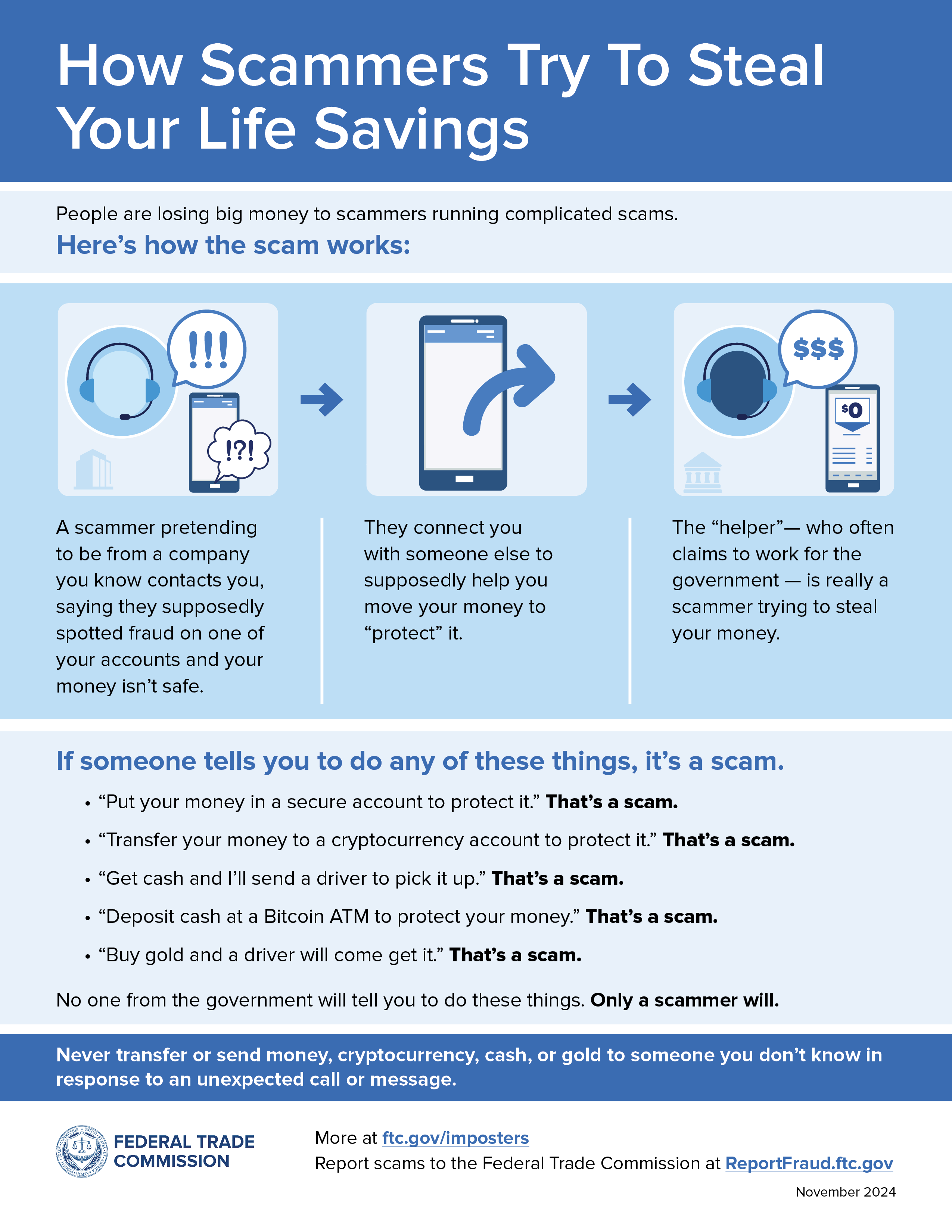
Help protect yourself and your money by being aware of these trending scams and red flags."
Resources:
- Facebook's Security Center
- Facebook's Fraud Checker
- National Cyber Security Alliance
- Federal Trade Commission's Consumer Protection Bureau