Router Setup Guide
Installing and configuring your router doesn't have to be a complicated or intimidating process. With this comprehensive Router Setup Guide, you'll be able to set up your home network with ease and enjoy a faster, more reliable internet connection.
Choosing the Right Router
Before you start the setup process, make sure you have the right router for your home. If your modem has a built-in router, you can skip the whole process and just use the integrated router. However, if you need to purchase a separate router, choose one that suits your internet requirements and budget. Consider factors such as the number of devices you need to connect, the type of internet service you have, and the router's range and features.
Decoding Router Boxes and Labels
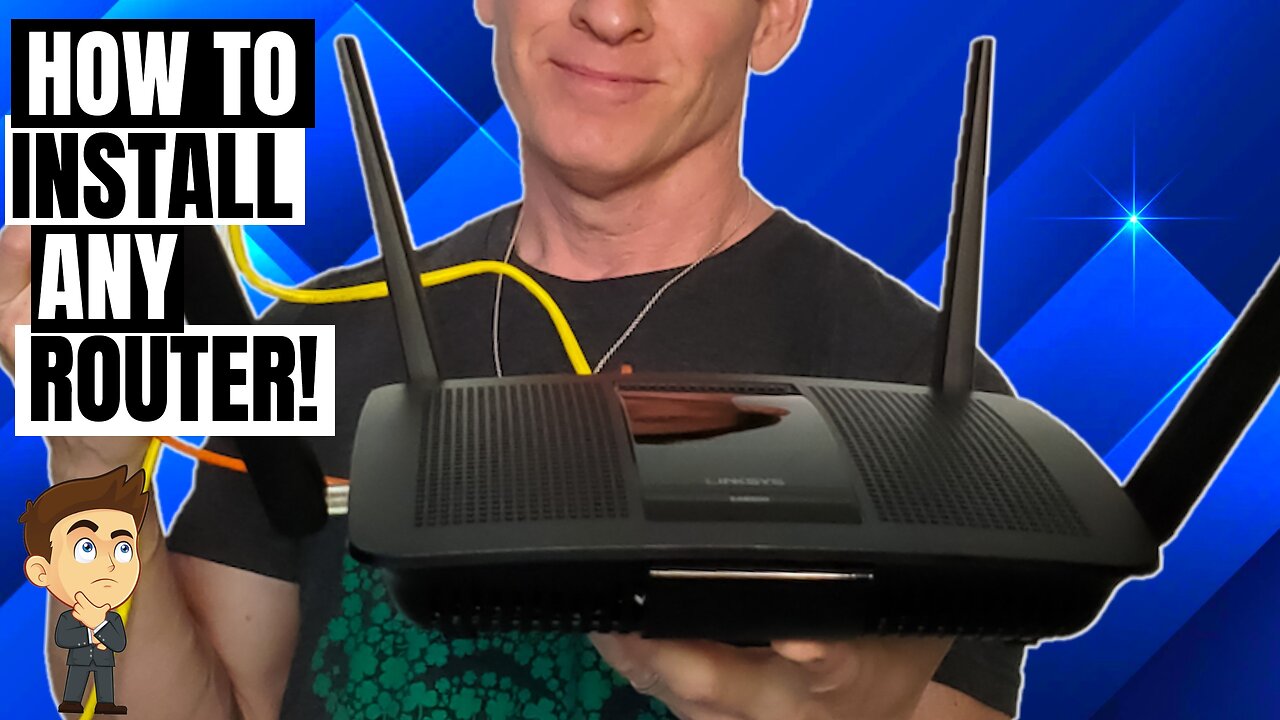
Opening the packaging of your new router can be overwhelming, especially with the numerous cables, antennas, and labels. Take a few minutes to decode the contents and understand what each component is for. Typically, you'll find the router, power adapter, Ethernet cable, and antennas. Make sure to read the user manual or check online resources for guidance if you're unsure about any of the components.
Hardware Connections
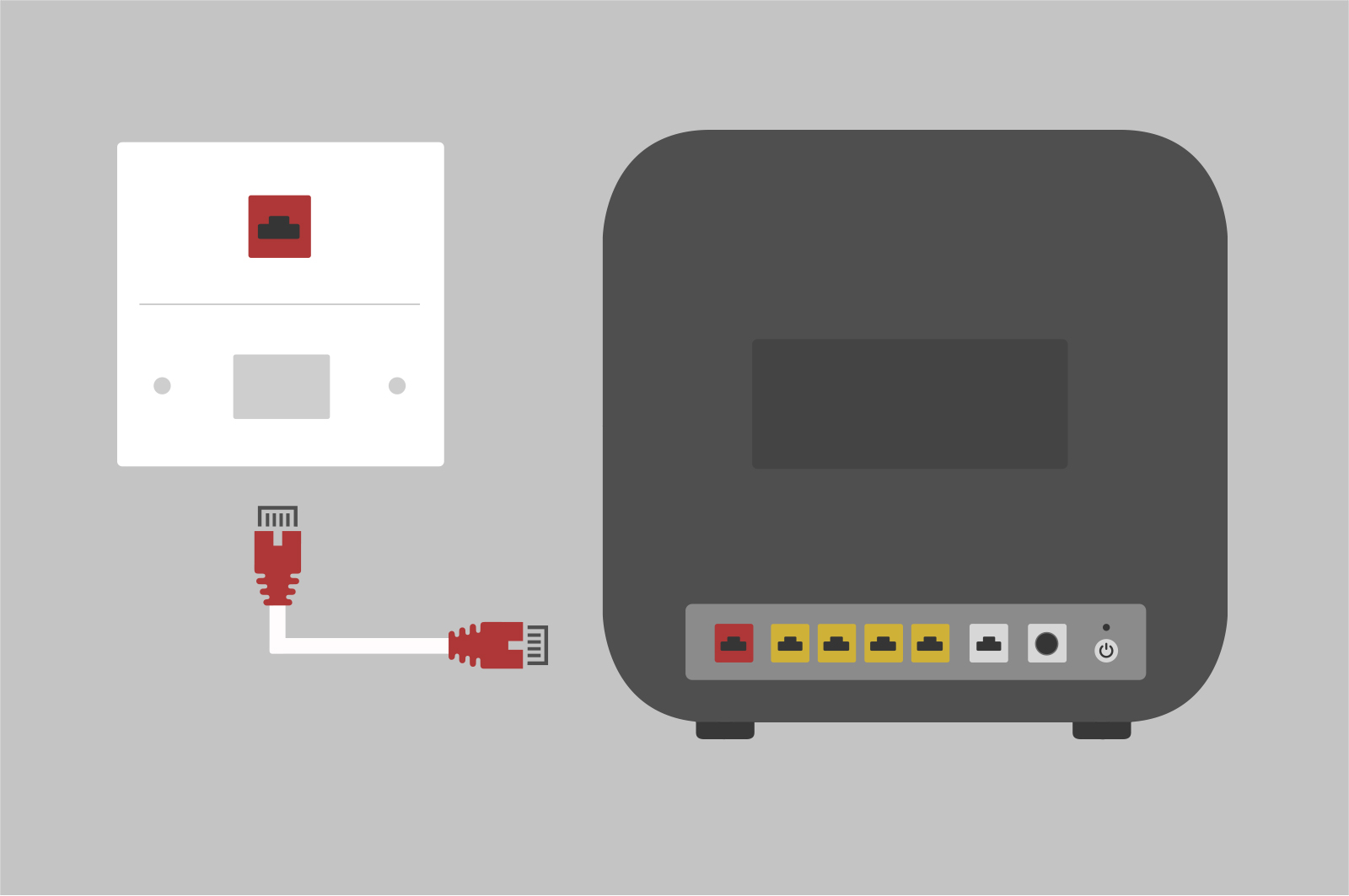
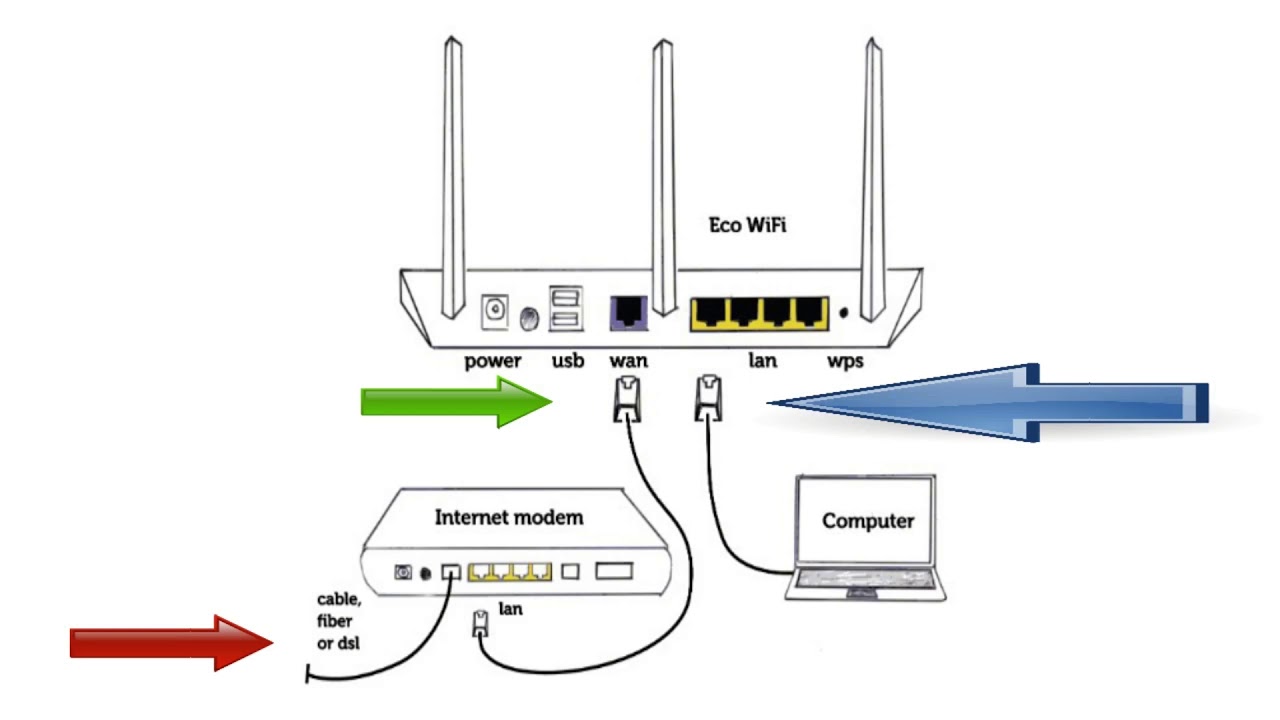
Now it's time to connect the router to your modem and power supply. Locate the Ethernet cable and plug one end into the yellow port on the back of the router, and the other end into the modem. Next, connect the power cord to the power adapter and plug it into a nearby outlet. Finally, turn on the router and wait for it to boot up.
Router Login and Setup
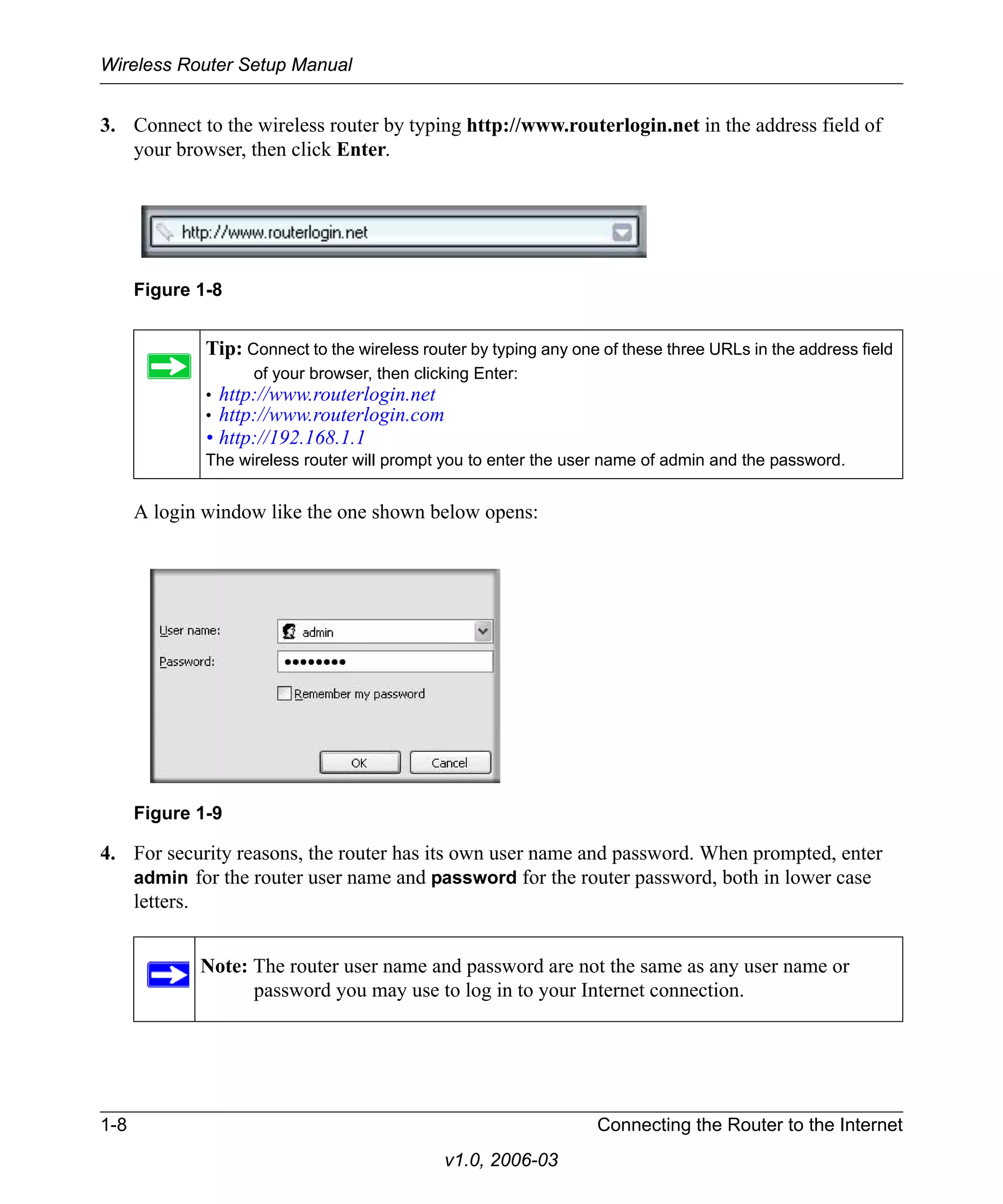
Once your router is booted up, open a web browser and type in the router's IP address (default is usually 192.168.0.1 or 192.168.1.1). Log in using the admin username and password, which are usually printed on the underside of the router or in the user manual. Create a strong password and update the admin username to ensure your router is secure.
Wi-Fi Settings

After logging in, navigate to the Wi-Fi settings and set up your network name (SSID) and password. Ensure your Wi-Fi network is secure by setting a strong password and enabling WPA2 encryption. You can also adjust other settings, such as the frequency band, channel, and quality of service (QoS) settings, according to your needs.
Advanced Router Settings
Explore your router's advanced features, such as Quality of Service (QoS), port forwarding, and IPv6 configuration. QoS allows you to prioritize traffic for critical applications, while port forwarding enables you to open specific ports for online gaming, streaming, or other purposes. IPv6 configuration is essential for supporting newer devices and internet protocols.
Final Checks and Troubleshooting
Before finishing the setup process, test your internet connection by connecting devices to the network and checking for connectivity. If you encounter any issues, refer to the user manual or online resources for troubleshooting tips. Ensure your router is updated with the latest firmware and that all cables are securely connected.
Optimizing Router Performance
Finally, optimize your router's performance by configuring the following settings:
- Change the Wi-Fi channel to minimize interference from nearby networks
- Set up Quality of Service (QoS) to prioritize critical applications
- Enable WPA2 encryption for security and strong password protection
- Regularly update firmware for optimal performance and security
By following this comprehensive Router Setup Guide, you'll be able to install and configure your router with ease, ensuring a fast, reliable, and secure internet connection for all your devices.






![[Wireless Router] How do I enter my ASUS router's setting page using ...](https://device.report/m/0c136a83050c313a131a4803b62deb91dbebe320016ec87d0255f12abb8d9d10.png "[Wireless Router] How do I enter my ASUS router's setting page using ...")